1 About Chatbox
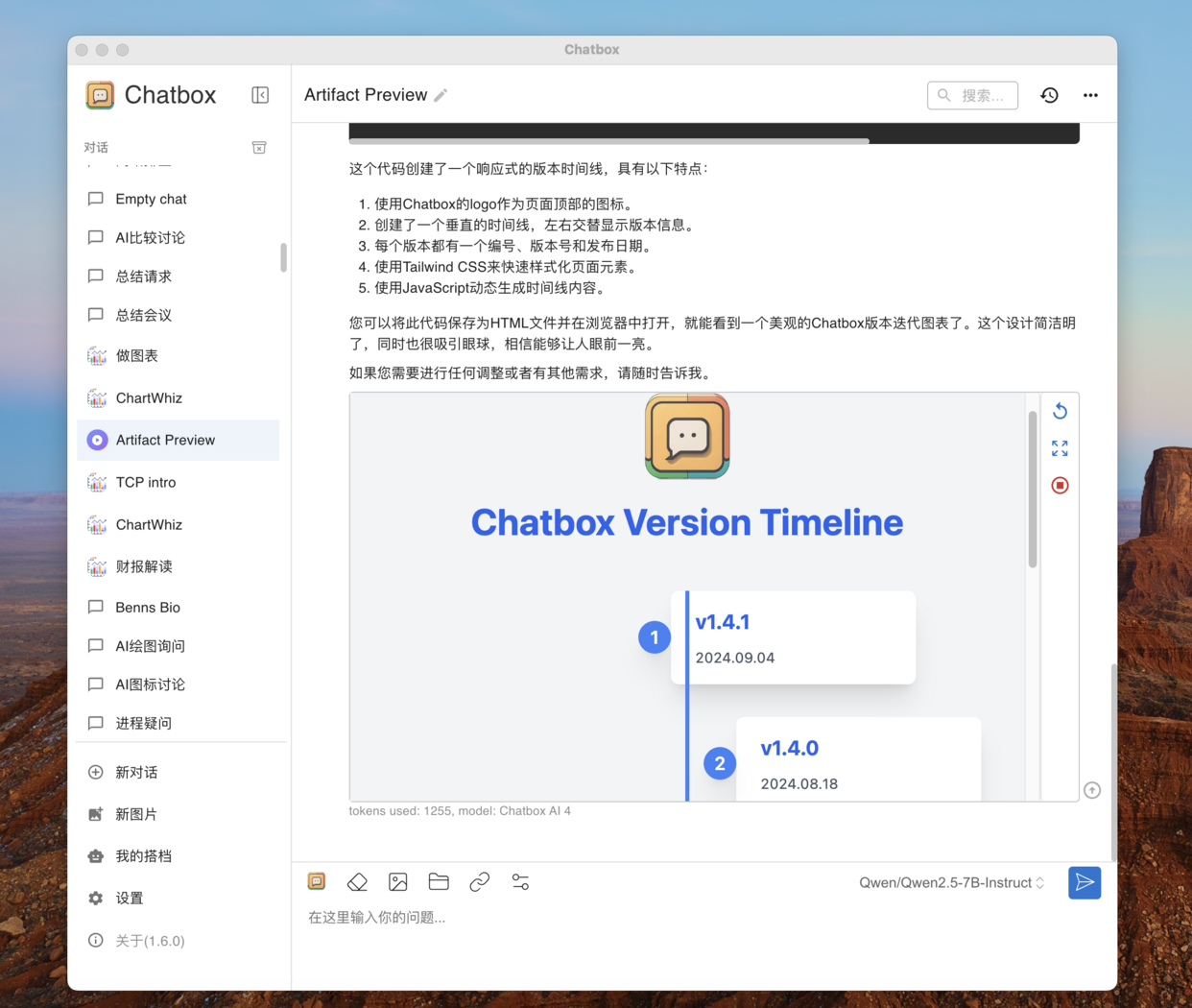
Chatbox is a popular full-platform chat client for large language models, featuring powerful functionality and easy installation. You can use it to connect to various large language models and chat with AI on any device (computer, mobile phone, web). Chatbox not only provides simple and user-friendly AI chat functions but also offers a series of powerful features:- Artifact Preview: In Chatbox, you can preview the actual effects of code generated by AI, such as having AI create a web page or a Snake game, and then run it directly in Chatbox.
- Chart Creation: Let AI draw mind maps, flowcharts, and statistical charts. Document Understanding and Graphic Visualization: You can send documents or images to AI.
- Webpage Parsing and Recognition: You can send links to AI to discuss webpage content.
2 Installing and Using Chatbox
Visit the Chatbox official website to download the installation package via browser.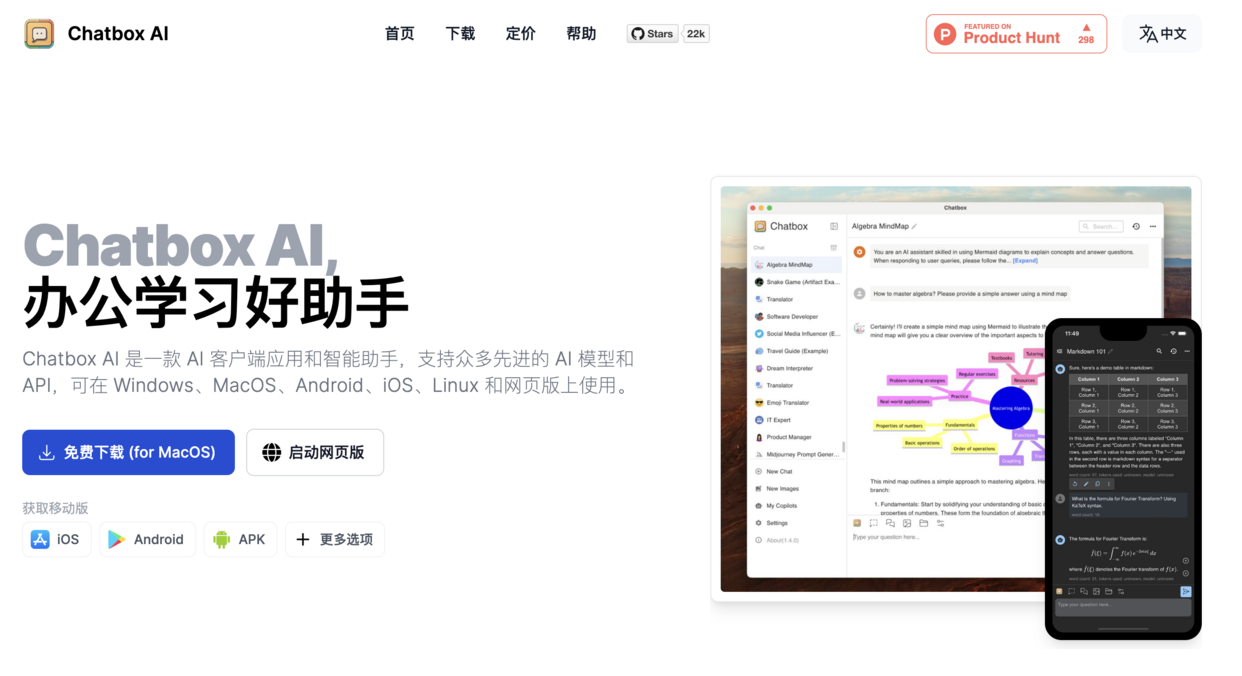
3 Using the SiliconCloud Model in Chatbox
3.1 Configuring SiliconCloud API Key
Visit the API Key page to create or copy an existing key.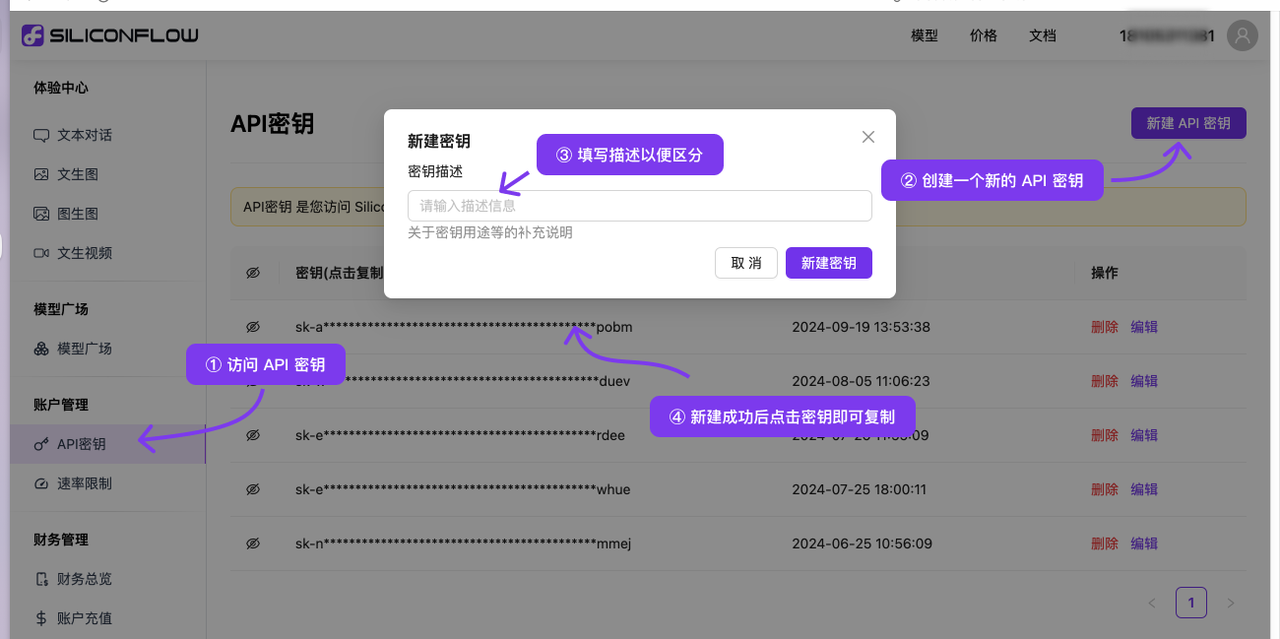
3.2 Configuring in Chatbox
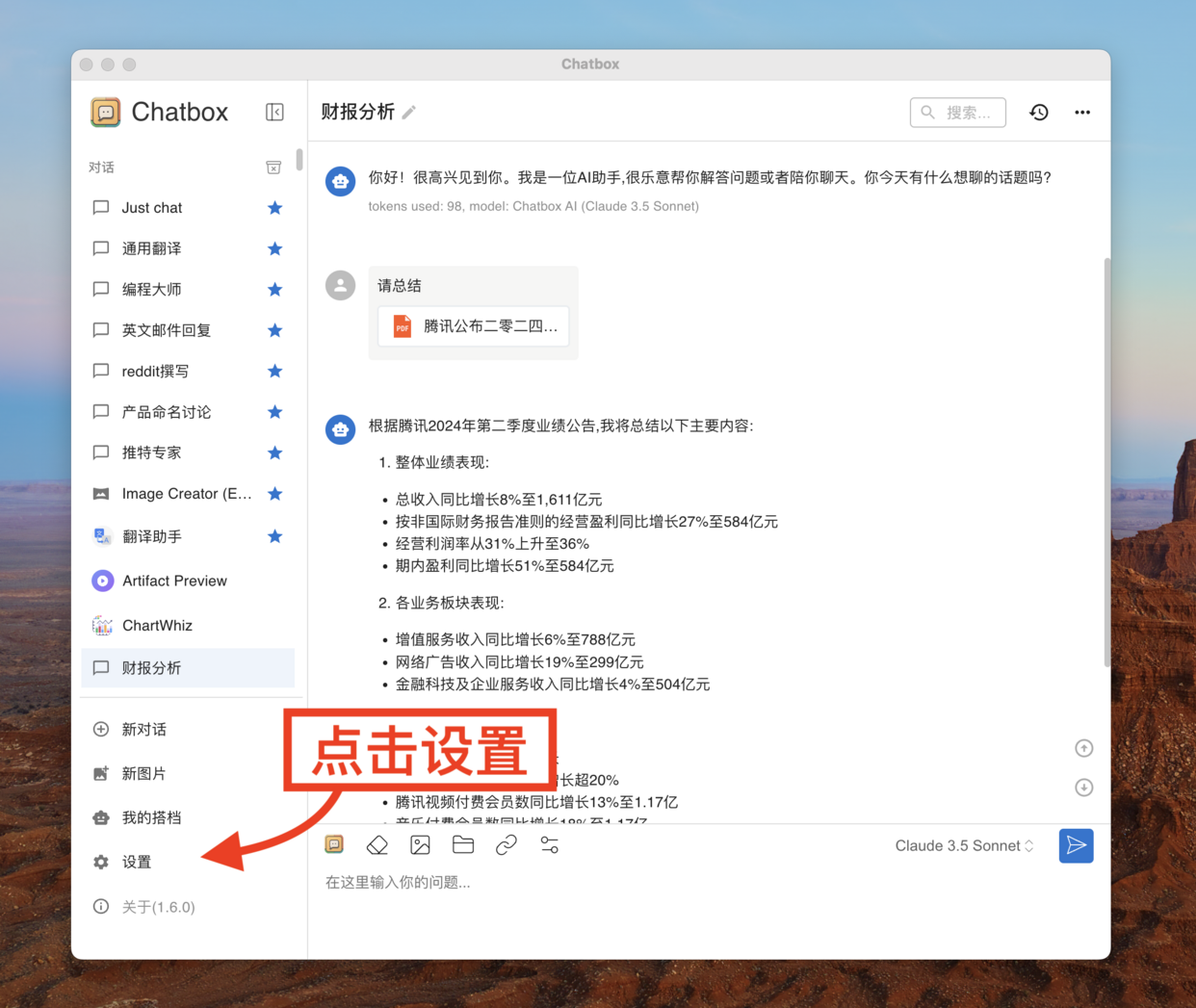
3.2.1 Open Chatbox and Enter Settings
3.2.2 Create a Custom Model Provider
First, click the “Model Provider” switch button, then click “Add Custom Provider” at the bottom of the pop-up menu.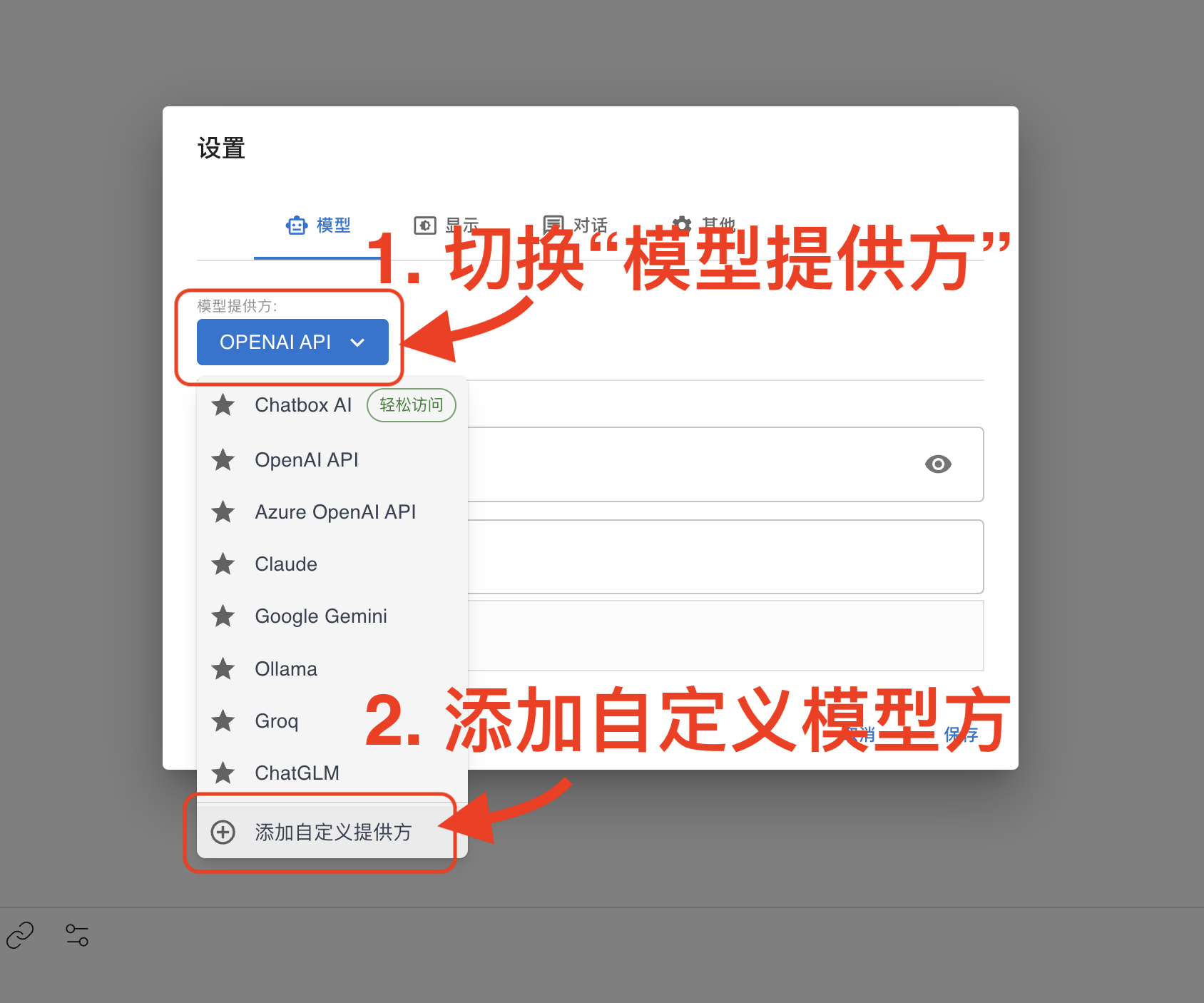
3.2.3 Configure SiliconCloud Access Information
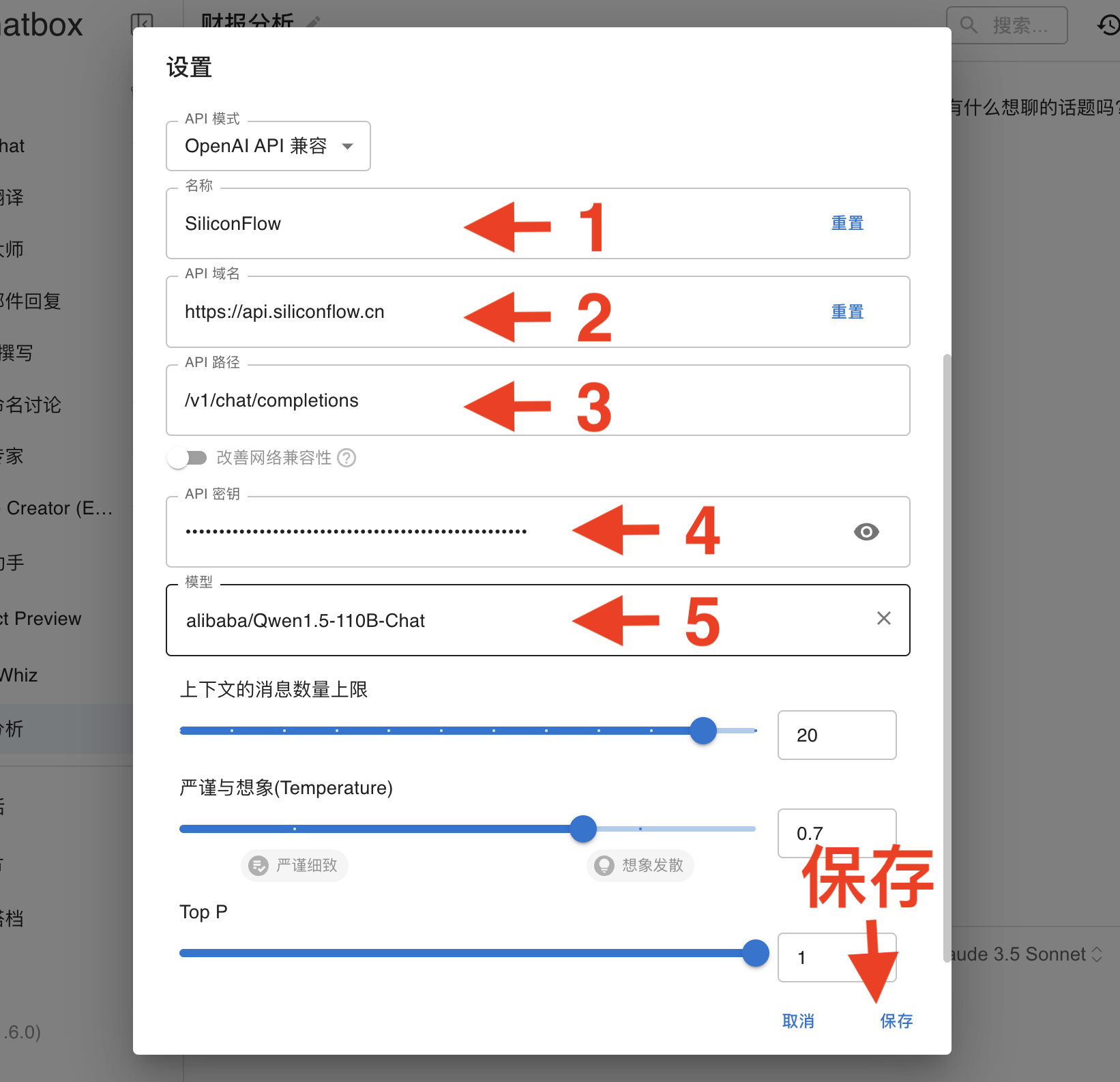
Fill in the SiliconCloud access configuration in the opened form:- Name (e.g., SiliconCloud for easy reference later)
- API Domain: https://api.siliconflow.cn/
- API Path: /v1/chat/completions
- API Key: Fill in the API key created in the SiliconCloud backend
- In the model input box, add the model you want to use (e.g., Qwen/Qwen2.5-7B-Instruct), you can find all SiliconCloud model options on the Models
- Click Save to start chatting.
3.2.4 Start Chatting
After following the above steps, the configuration should be basically complete. Test a simple chat to ensure everything is working.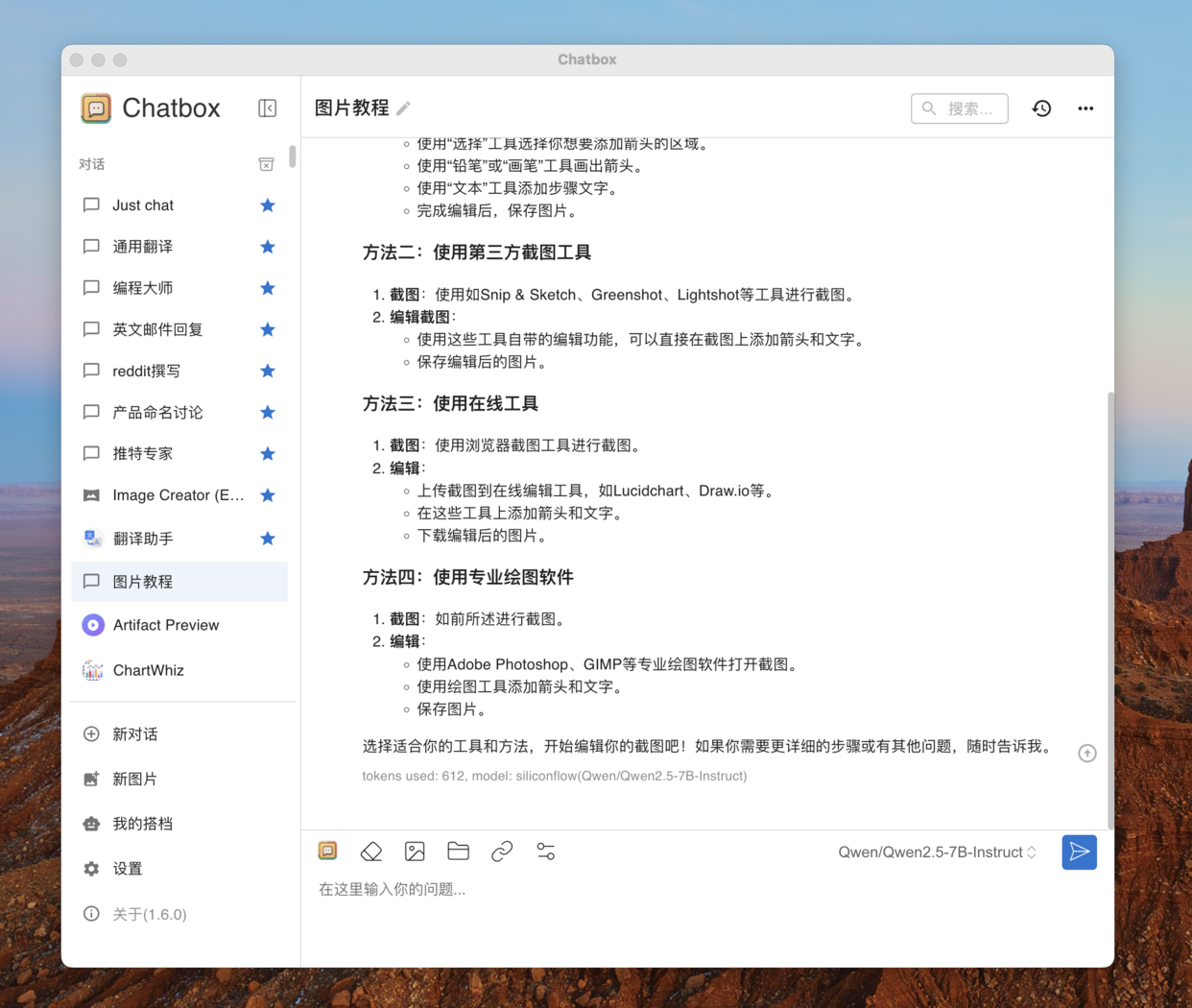
3.3 Tips for Using Chatbox
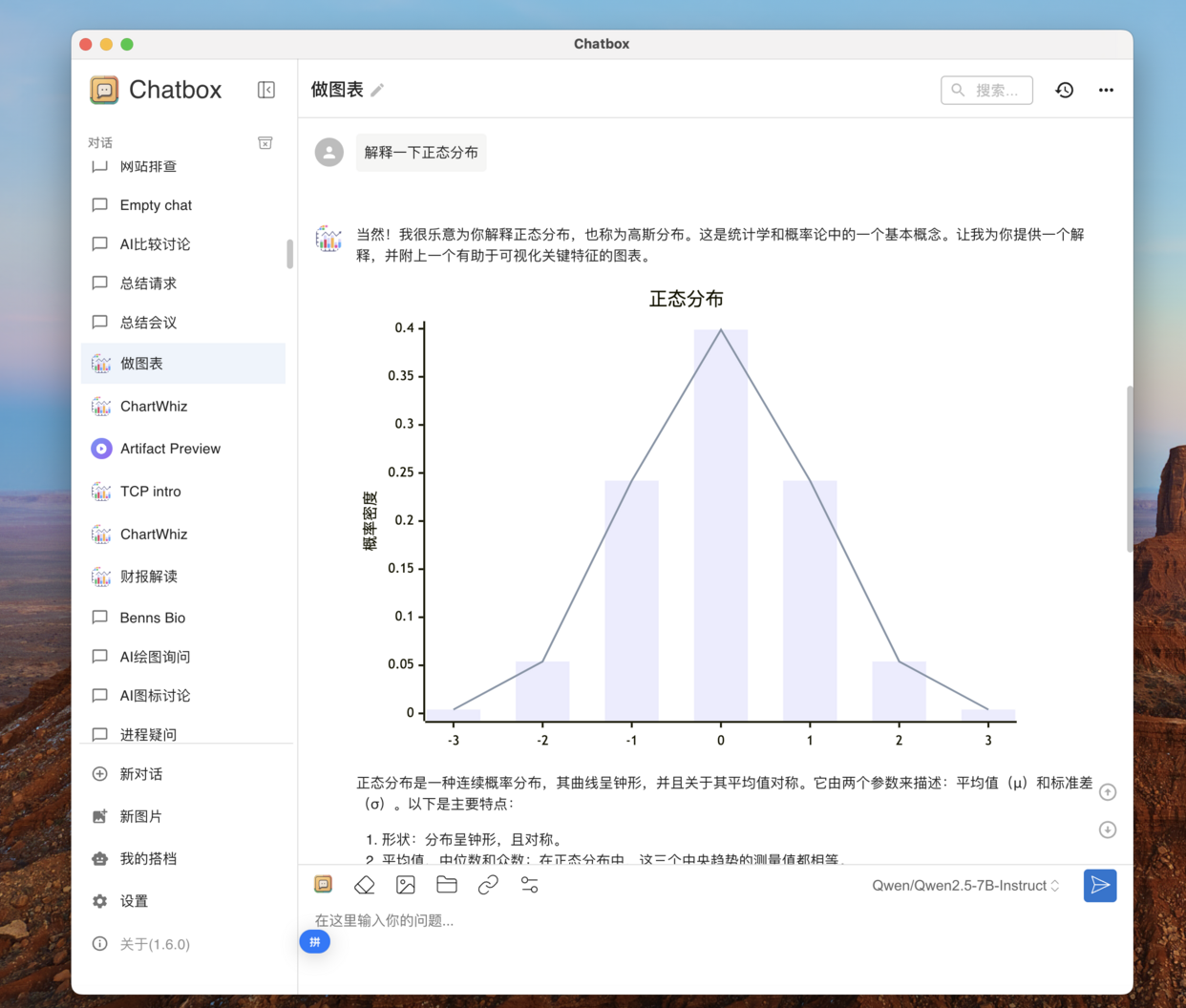
Here are some tips for using Chatbox.3.3.1 Utilize Chatbox’s Chart Capability to Generate Visual Charts in Chats
Chatbox’s “Make Charts” assistant can generate various charts, making it easier to understand data in chats. Note: For better results, choose a smarter and more powerful model. The model’s capabilities will directly determine the quality of the charts.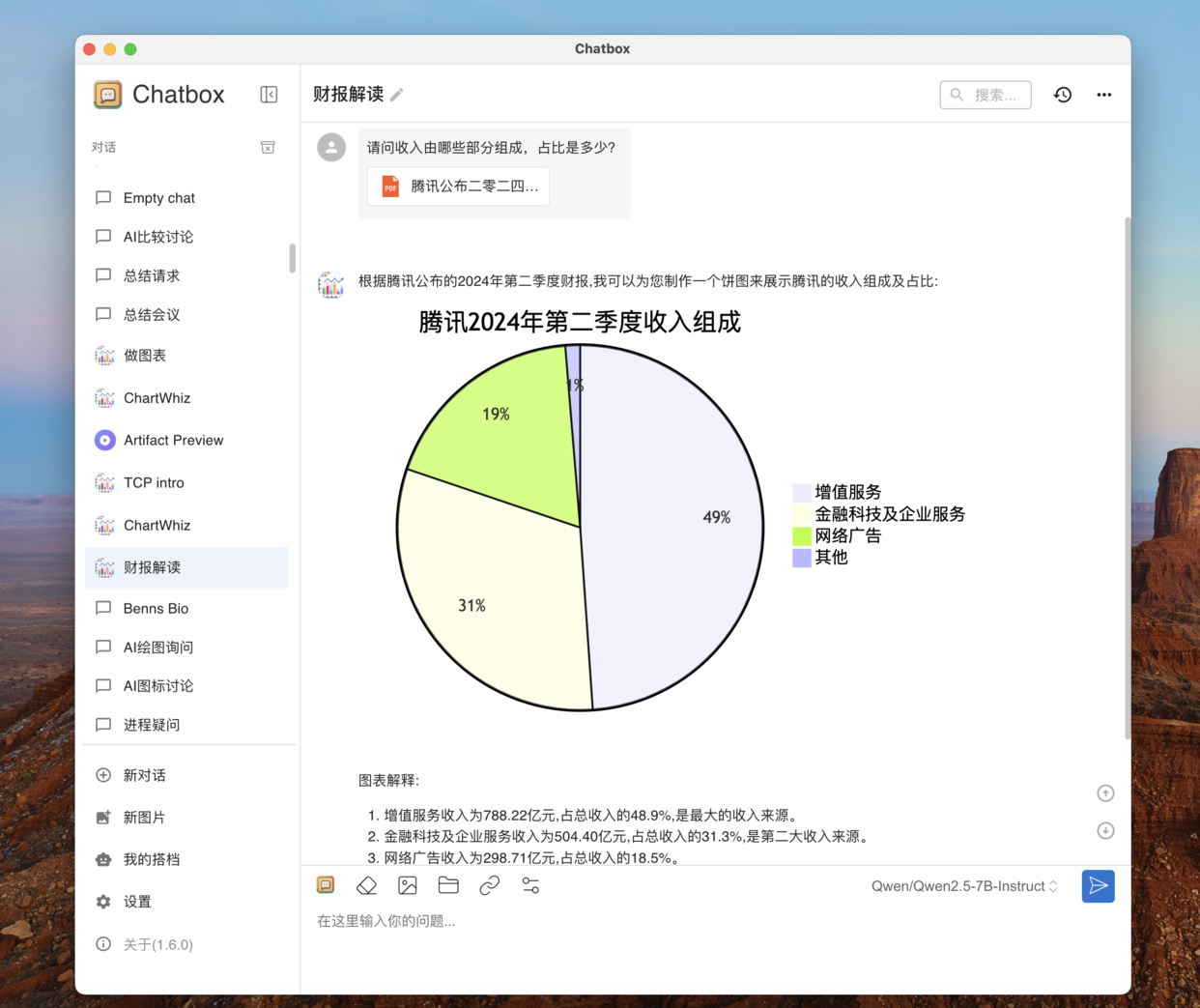
3.3.2 Utilize Chatbox’s Artifact Preview Function to View the Running Effect of AI-Generated Code
Chatbox’s Artifact Preview function allows you to directly preview the actual running effect of AI-generated frontend code. Note: For better results, choose a smarter and more powerful model. The model’s capabilities will directly determine the quality of the generated code.